

AI Extraction Node
The AI Extraction node turns conversation context into structured fields that later nodes can use for routing, tools, or summaries.
Use AI Extraction when the user has already said something useful in natural language, but the workflow cannot act on it reliably until that information becomes structured data.
Typical examples include order numbers, issue category, urgency, preferred callback time, account identifiers, or any other field that later nodes need to reference explicitly.
When to choose AI Extraction
Section titled “When to choose AI Extraction”AI Extraction is usually the right node when:
- The workflow needs named fields, not just a conversational answer.
- A later node must branch on a value or pass it to a tool.
- You want a deterministic-looking output shape from free-form user input.
- The workflow should extract first, then let another node decide what to do next.
If the workflow only needs a natural-language response, use AI Agent instead. If it needs a hard-coded transformation or calculation, use Function instead.
How the node works in a workflow
Section titled “How the node works in a workflow”- The node receives the current conversation context.
- It checks the configured extraction fields and their prompts.
- It asks the model to return structured values for those fields.
- The workflow stores that structured output for downstream use.
- Later nodes can branch, call tools, or respond based on the extracted values.
In practice, AI Extraction often sits between a conversational step and a deterministic step. A user explains what they need, AI Extraction turns that into fields, and then Tool, If/else, Function, or AI Agent uses those fields.
What to configure
Section titled “What to configure”Each field should be configured as if another node will depend on it later:
- Field name should be stable and readable because downstream nodes may reference it directly.
- Field type should reflect the shape you actually need, such as text, number, boolean, or another supported format.
- Extraction prompt should explain what the value means and how to recognize it from conversation context.
- Required behavior should match reality. If a value may be missing, plan a fallback instead of assuming the node will always produce it.
Start with the smallest set of fields that the workflow truly needs. Smaller extraction tasks are easier to test and usually more reliable.
Common workflow patterns
Section titled “Common workflow patterns”- Form fill before a tool call Extract key fields first, then send them into Tool or Function.
- Priority routing Extract urgency, issue type, or customer status before routing with If/else.
- Confirmation loop Extract a value, then ask an AI Agent node to confirm it with the user before continuing.
Example field sets
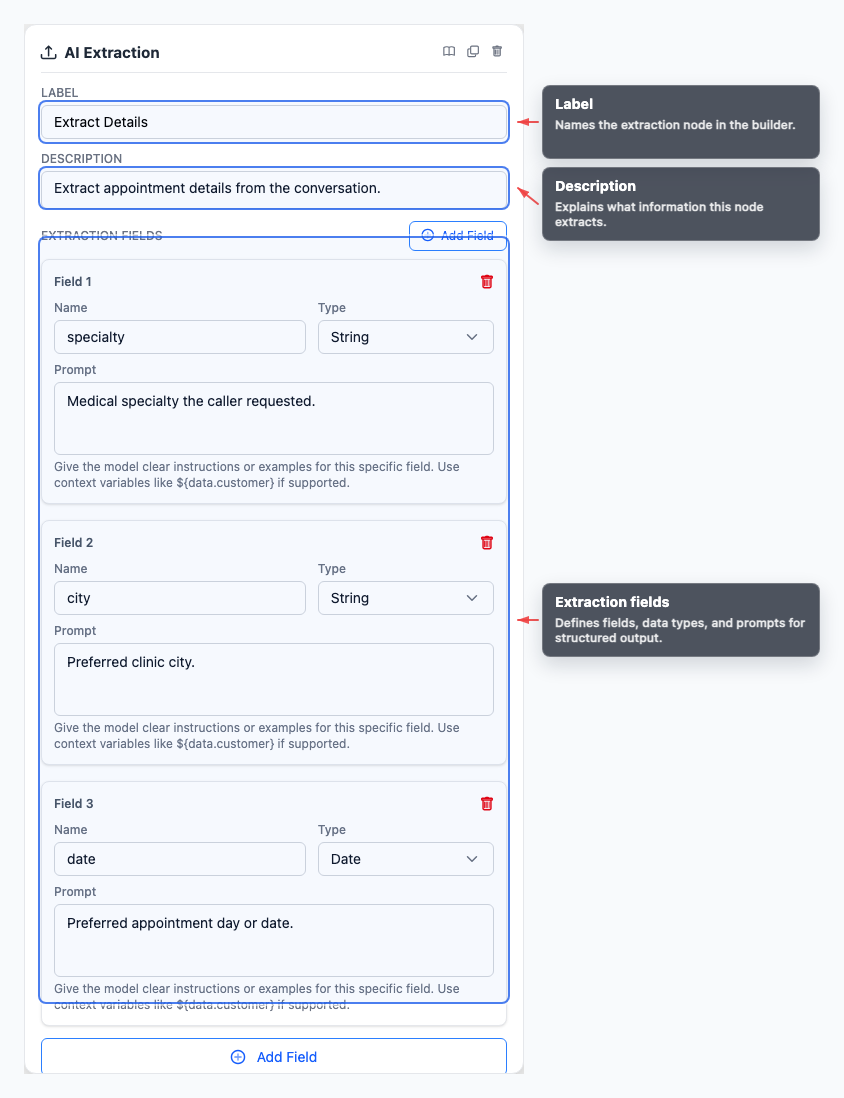
Section titled “Example field sets”- An appointment or scheduling flow might extract fields such as
specialty,city, anddatebefore checking availability. - Intake-style extractions work best when the field list is limited to the exact values the next deterministic step needs.
Visual reference
Section titled “Visual reference”Canvas
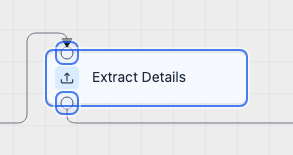
Section titled “Canvas”The canvas view helps you identify where the node sits in the graph and how execution enters and leaves it.
Inspector
Section titled “Inspector”The inspector is where the extraction job becomes specific: what fields to pull, how to describe them, and what the workflow should expect next.
What to watch out for
Section titled “What to watch out for”- Avoid extracting values that no downstream node actually uses.
- Do not rely on vague field prompts when later logic depends on precise values.
- Plan for missing or partial results in the next step of the workflow.
- Test the node with realistic phrasing, not only ideal example inputs.
Should I extract everything at once? Extract only values needed by later nodes. Smaller, clearer field sets are easier to test and debug.
What happens when a value is missing? Handle missing values in the next node: ask a clarifying question, branch to a fallback, or stop safely.
Related pages
Section titled “Related pages”- AI Agent node - ask clarifying questions or confirm extracted data
- Tool node - send extracted fields to integrations
- If/else node - branch on extracted values