

Start Node
The Start node is the automatic entry point where an AI Workflow begins execution.
Every workflow has one Start node. It exists to make the beginning of the graph explicit and to provide a single handoff point into the first real workflow step.
What Start does in the workflow
Section titled “What Start does in the workflow”- A channel, API call, or test run begins the workflow.
- Runtime execution starts at Start automatically.
- Execution moves through the connected output port.
- The next node performs the first meaningful action in the flow.
Start is simple on purpose. It should not contain business logic, prompts, or branching behavior.
What to configure
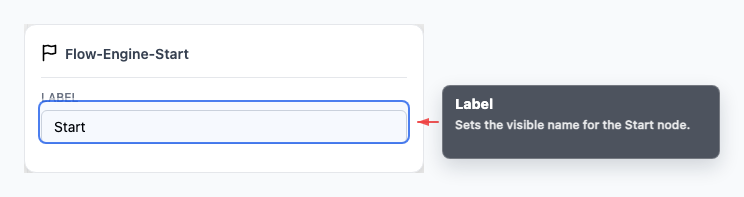
Section titled “What to configure”The Start node typically only needs a label.
Use the label to make the graph easier to read when multiple people review the workflow, but keep it simple. The node does not need tools, prompts, conditions, or other runtime settings.
How to use Start well
Section titled “How to use Start well”- Connect Start to the first real action in the branch.
- Use AI Agent when the workflow should begin conversationally.
- Use Play when a voice path should begin with a fixed spoken message.
- Keep branching logic out of Start and move it into a node built for routing.
Visual reference
Section titled “Visual reference”Canvas
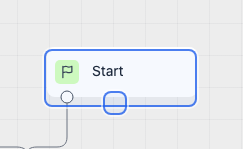
Section titled “Canvas”The canvas view shows the fixed starting point and the first output connection into the workflow.
Inspector
Section titled “Inspector”The inspector is intentionally minimal because Start does not carry business behavior.
What to watch out for
Section titled “What to watch out for”- Start should connect to one intentional next step.
- Do not treat Start as a branching node.
- Keep any meaningful logic in downstream nodes where it can be tested and reviewed properly.
Can I delete Start? No. Start is the required entry point for the graph.
Can Start branch to multiple nodes? Connect Start to the first intentional step. Branching should happen through AI Agent exit conditions, If/else conditions, or another node designed for routing.
Related pages
Section titled “Related pages”- AI Agent node - begin with an agent that understands the user’s request
- Play node - begin a voice workflow with a fixed message
- Workflow Builder - place and connect nodes