

Function Node
The Function node runs custom JavaScript logic when a workflow needs deterministic data shaping, calculation, or routing support.
Use Function when the workflow needs predictable JavaScript logic instead of language reasoning. It is the right node for shaping data, calculating values, or preparing a deterministic result for the next step.
When to choose Function
Section titled “When to choose Function”Choose Function when:
- the workflow needs a calculation or transformation,
- the output should be deterministic,
- a later node needs cleaned or remapped data,
- or an LLM-based decision would be too loose for the task.
Use AI Agent for natural-language reasoning and Tool for reusable external integrations.
How the node works in a workflow
Section titled “How the node works in a workflow”- The node receives runtime context.
- The configured JavaScript executes.
- The return value becomes available to downstream nodes.
- Later nodes branch, respond, or call tools using that deterministic output.
Function is often the glue between extraction, routing, and external actions.
What to configure
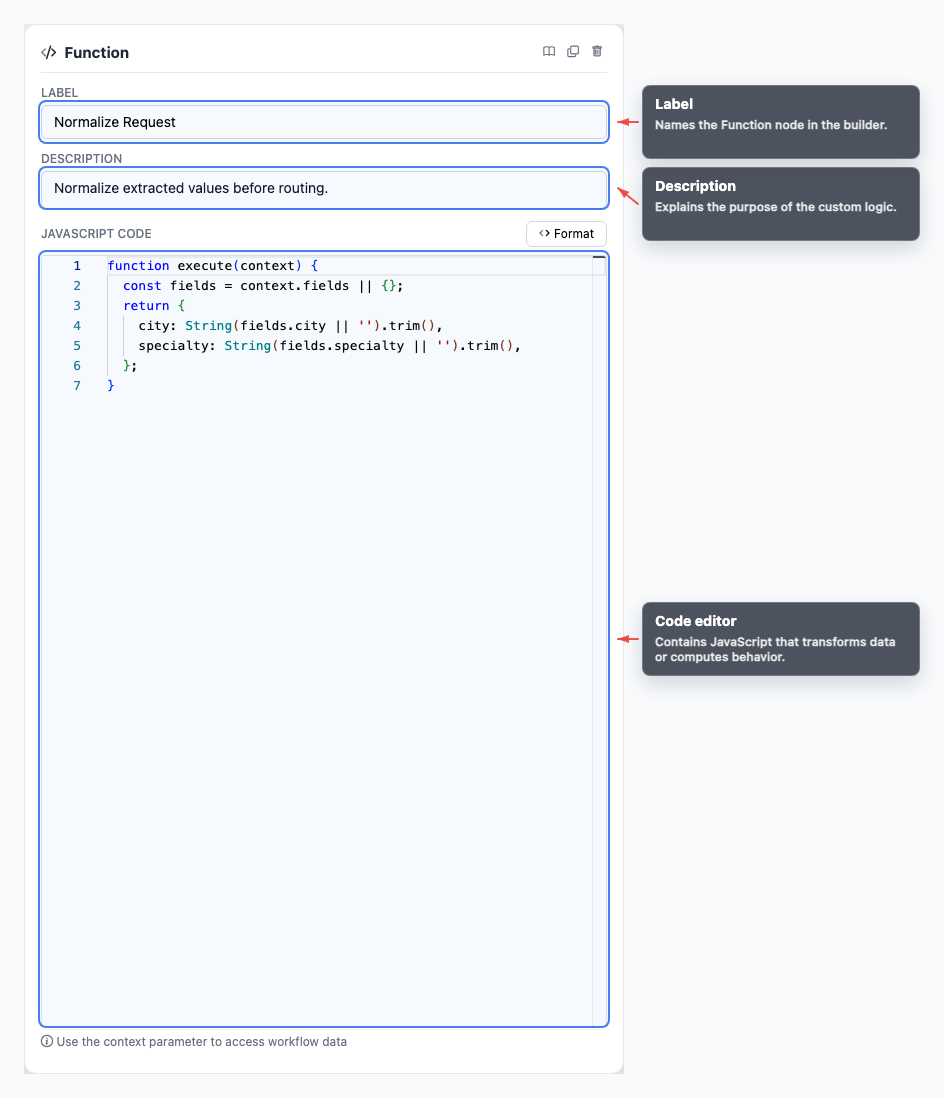
Section titled “What to configure”- Code editor holds the JavaScript logic.
- Label describes the role of the function on the canvas.
The code should be written with the downstream consumer in mind: what values must exist, what shape they should have, and what should happen if data is missing.
A common template is:
function execute(context) { return {};}Common workflow patterns
Section titled “Common workflow patterns”- Normalize fields Convert extracted values into consistent casing, formatting, or shape.
- Calculate priority Turn multiple signals into a deterministic score or category.
- Build a payload Prepare JSON for a later Tool call.
- Guard branch input Ensure If/else receives the exact values it expects.
Example configuration patterns
Section titled “Example configuration patterns”- A normalization function can trim and standardize extracted values before routing.
- A small calculation function can return a value like
parityorpriorityfor downstream branching. - A producer-style function can use
withStorageto expose structured output for later nodes to reference by slug.
Visual reference
Section titled “Visual reference”Canvas
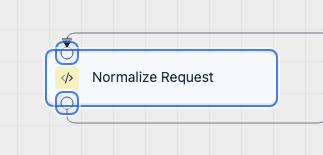
Section titled “Canvas”The canvas view shows where the custom logic step sits in the branch.
Inspector
Section titled “Inspector”The inspector is where you write and review the deterministic logic that shapes downstream behavior.
What to watch out for
Section titled “What to watch out for”- Prefer Tool for external API calls so credentials and testing stay centralized.
- Keep return values predictable and easy for downstream nodes to consume.
- Handle missing context safely instead of assuming every field exists.
- Test the full workflow path, not only the code snippet in isolation.
Should Function call external APIs directly? Prefer a Tool for external API calls so credentials, testing, and runtime messages stay centralized.
How should I debug a Function node? Test the workflow path and inspect runtime errors in the test panel or interaction execution details.
Related pages
Section titled “Related pages”- Tool node - call reusable integrations
- If/else node - branch after deterministic logic
- Developer Runtime Guide - understand node failure behavior