

Environment Settings
Environment settings are platform-level configuration values used across the system — managed by administrators.
Environment Settings are not day-to-day workflow controls. They are platform-level values that can affect broad product behavior, so changes here should be made deliberately and by administrators who understand the operational impact.
Find the right setting
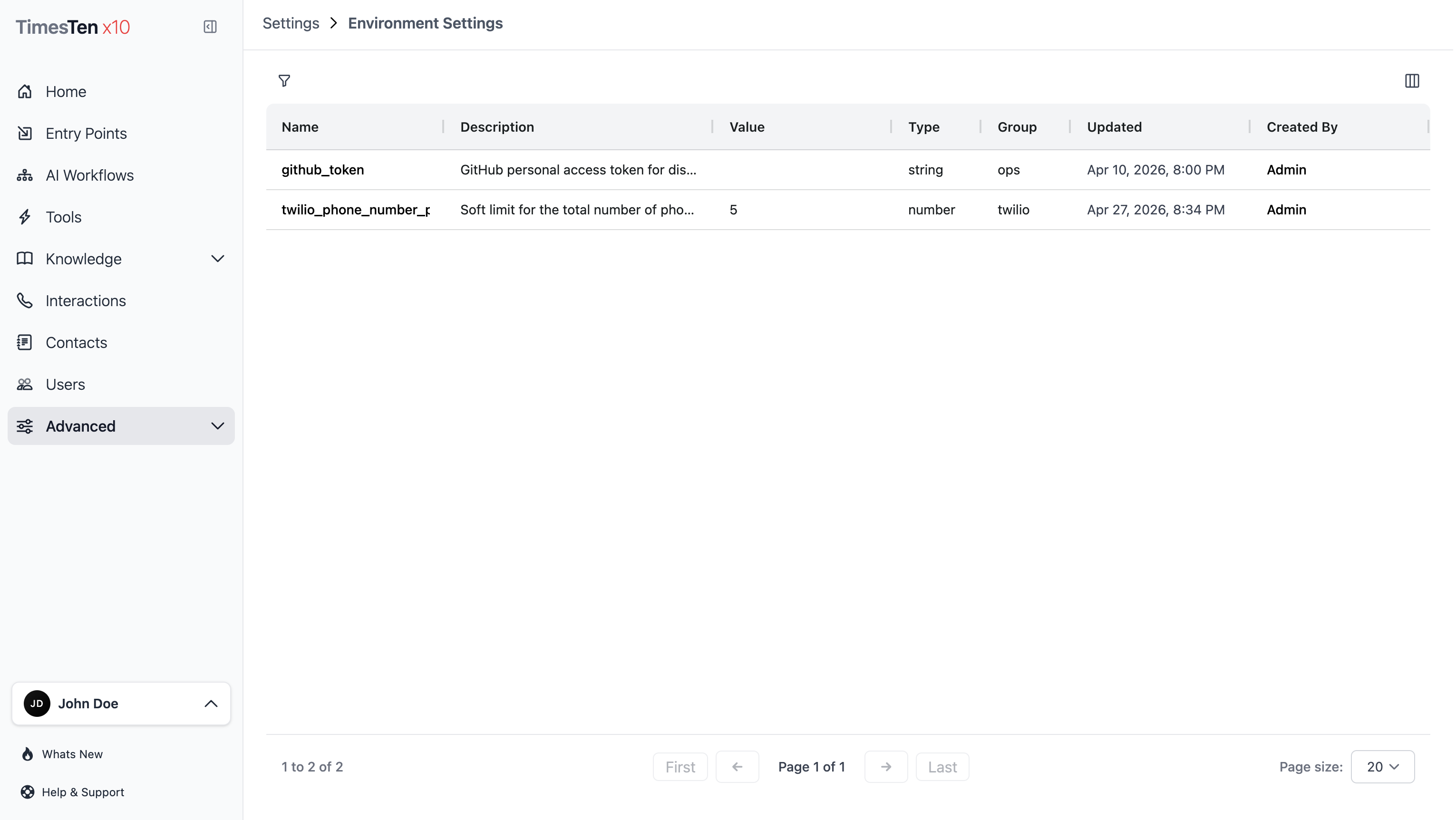
Section titled “Find the right setting”The list helps you review:
- the Name of the setting,
- what the setting controls,
- the current Value,
- the Type of that value,
- the Group it belongs to,
- and when it was last updated.
Use filters by name, description, value, type, or group to narrow the list quickly.
Edit a setting
Section titled “Edit a setting”- Select Settings > Environment Settings in the sidebar.
- Click a setting’s name in the list.
- Edit the fields:
- Name — the setting identifier
- Value Type — string, number, boolean, or JSON
- Value — the input adapts to the type (text area for strings, number input for numbers, toggle for booleans, code editor for JSON)
- Description — what this setting controls
- Group — the category
- Click Save Setting.
Changing the value type resets the value to a default (empty string, 0, false, or {}).
What to watch out for
Section titled “What to watch out for”- Environment settings are shared system values, not per-workflow or per-user preferences.
- Changing the value type resets the value.
- JSON settings should be reviewed carefully before saving.
- Use Audit Logs when you need to confirm what changed and when.
Can I create new environment settings? No. Environment settings are defined by the platform. You can only edit existing settings.
Who can edit environment settings? Only users with the appropriate administrator permissions.