

End Node
The End node marks the intentional stopping point for a workflow branch.
Use End when the workflow has reached the point where that branch should stop cleanly and no further automated action is required.
When to use End
Section titled “When to use End”End is appropriate after the workflow has:
- answered the user,
- completed a transfer,
- finished a deterministic action,
- or decided there is nothing else to do on that branch.
It makes branch termination explicit for both runtime behavior and human reviewers.
How End works in a workflow
Section titled “How End works in a workflow”- Execution reaches End from an upstream node.
- The current branch stops.
- Interaction finalization can later store completion metadata as part of the overall workflow outcome.
End does not send a message or perform an action by itself. It only marks the stopping point.
What to configure
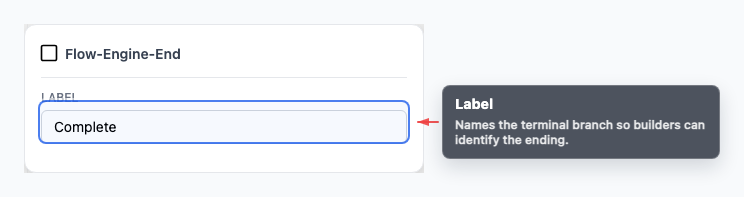
Section titled “What to configure”The main field is the label.
Use it to clarify why a branch ends, especially in larger graphs with multiple success, fallback, or escalation outcomes.
Common ways to end a branch
Section titled “Common ways to end a branch”- Successful completion Let an AI Agent or Play node respond, then route to End.
- Unsupported request Explain the limitation to the user, then terminate that branch.
- Post-transfer stop Hand off through Transfer and end the automated path.
Visual reference
Section titled “Visual reference”Canvas
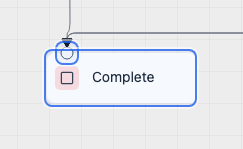
Section titled “Canvas”The canvas view shows the final stop point for a branch.
Inspector
Section titled “Inspector”The inspector is minimal because End exists to terminate the branch, not to carry additional logic.
What to watch out for
Section titled “What to watch out for”- End does not send the final message for you.
- Put any final spoken or written response in the previous node.
- Every branch should have a deliberate terminal behavior: End, Transfer, Wait, or another intentional continuation path.
Does End send a message? No. Put the final message in an AI Agent or Play node before End.
Does every branch need End? Every branch should have a clear terminal behavior: End, Transfer, Wait, or another intentional continuation path.
Related pages
Section titled “Related pages”- AI Agent node - produce final text before ending
- Transfer node - hand off before ending a voice path
- Testing and debugging - confirm branches terminate as expected