

Audit Logs
Audit Logs show recorded changes across Octo so administrators can review who changed what and when.
Audit Logs are the review surface for administrative and record-level changes. They help answer basic governance questions: who changed something, what changed, and when it changed.
When to use audit logs
Section titled “When to use audit logs”Use Audit Logs when you need to:
- confirm a configuration change,
- review access-control changes,
- investigate an unexpected record update,
- or trace administrative actions after the fact.
Review audit logs
Section titled “Review audit logs”Audit Logs are read-only. Use them when you need to understand configuration changes, access changes, or record updates after the fact.
- Select Settings > Audit Logs.
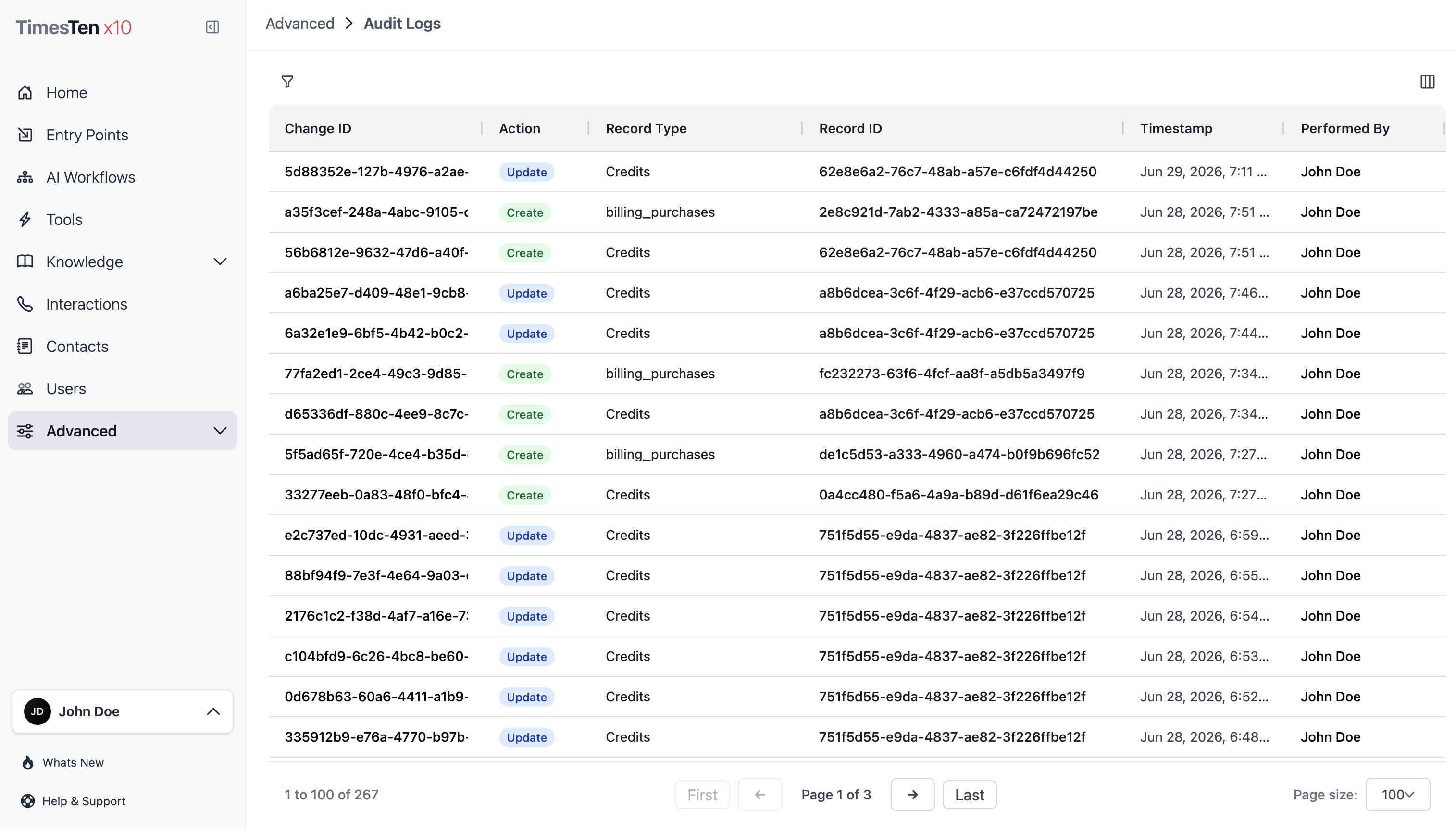
- Review the grid columns for Change ID, Action, Record Type, Created By, and timestamp fields.
- Filter or sort the grid to focus on the relevant action, record type, actor, or time range.
- Select a Change ID to open the record history view.
- Review the field-level changes shown in the history view.
The Audit Logs list intentionally omits some high-volume or internal record types, including billing transaction internals, workflow execution logs, node execution logs, and role-permission join records.
What to inspect first
Section titled “What to inspect first”- Action Check whether the event was a create, update, or delete.
- Record type Confirm which kind of object changed.
- Actor Identify who performed the change.
- Timestamp Place the event in the right operational window.
- Change detail Open the related history view when field-level detail matters.
How audit logs fit into admin work
Section titled “How audit logs fit into admin work”- Review Users and Roles when the change involved access.
- Review API Keys when the change involved credentials or integration access.
- Review Environment Settings when the change involved system-level configuration.
Can audit logs be edited or deleted from this page? No. The Audit Logs page is a read-only review surface.
Why do some system records not appear? The list filters out selected internal or high-volume record types so administrators can focus on user-relevant changes.
Related pages
Section titled “Related pages”- API Keys - manage API access credentials
- Roles - manage roles and permissions
- Environment Settings - manage platform-level settings