

Wait Node
The Wait node pauses workflow execution so the workflow can continue after a user response or supported runtime event arrives.
Use Wait when the workflow should pause intentionally and continue only after another user message or supported runtime event arrives.
When to choose Wait
Section titled “When to choose Wait”Wait is the right node when:
- the workflow has asked the user for more information,
- a confirmation is required before continuing,
- or the flow should pause between one step and the next instead of ending.
Wait is not a terminal node. It keeps the branch alive and ready to resume.
How the node works in a workflow
Section titled “How the node works in a workflow”- The node receives execution from an upstream step.
- Runtime records a waiting state.
- A later message or supported event resumes execution.
- The workflow continues through the Wait node’s output connection.
Wait usually appears after a step that prompts the user, such as AI Agent or Play.
What to configure
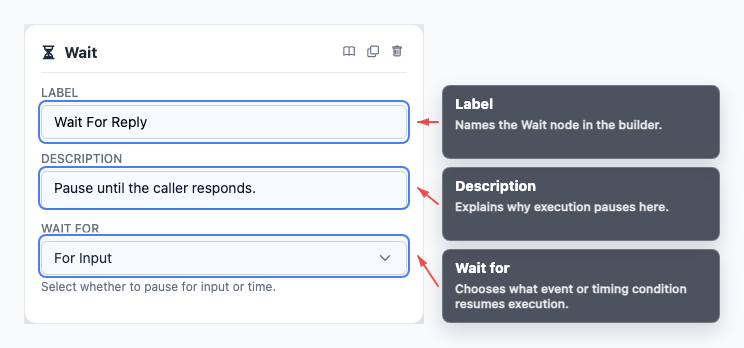
Section titled “What to configure”- Wait for selects the kind of input or event that should resume execution.
- Label keeps the purpose of the pause readable on the canvas.
Choose labels that explain what the workflow is waiting for, not only that it is paused.
Common workflow patterns
Section titled “Common workflow patterns”- Ask and wait Let AI Agent ask a question, then pause for the answer.
- Confirmation Ask the user to confirm, then route the resumed value into If/else.
- Human-timed flow Pause a voice or chat interaction before a follow-up action or message.
Example wait patterns
Section titled “Example wait patterns”- A simple voice wait can pause immediately after asking the caller for more details.
- A first-utterance wait can sit between a fixed greeting and the first reasoning step.
Visual reference
Section titled “Visual reference”Canvas
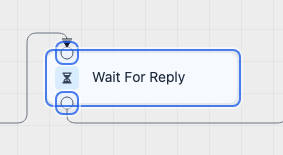
Section titled “Canvas”The canvas view shows where the branch pauses before resuming later.
Inspector
Section titled “Inspector”The inspector is where you define what event or input should wake the workflow back up.
What to watch out for
Section titled “What to watch out for”- Wait pauses execution but does not end the branch.
- Make sure a real user input or runtime event can actually resume the node.
- Pair Wait with a clear prompt beforehand so the user knows what should happen next.
- Use testing and runtime inspection to diagnose stuck waits.
Is Wait the same as End? No. Wait pauses an execution that can continue. End terminates a branch.
Where do I debug stuck waits? Use Testing and debugging and the Developer Runtime Guide to inspect resume behavior.
Related pages
Section titled “Related pages”- AI Agent node - ask the question before waiting
- If/else node - branch after a response
- Testing and debugging - inspect wait and resume behavior