

Play Node
The Play node plays a configured audio message to the caller in a voice workflow.
Use Play when the caller should hear a fixed message rather than a generated AI response. It is most useful in voice workflows where the message should be predictable and tightly controlled.
When to choose Play
Section titled “When to choose Play”Choose Play when the workflow should:
- greet the caller with a fixed opening,
- announce a transition or hold step,
- explain that a transfer is about to happen,
- or deliver a short completion message before the branch ends.
If the content should adapt to conversation context, use AI Agent instead.
How the node works in a workflow
Section titled “How the node works in a workflow”- Execution reaches the Play node.
- Octo sends or generates the configured voice message using workflow-level voice settings.
- The caller hears the message.
- Execution continues to the connected next node.
Play often sits just before Wait, Transfer, or End in voice-first branches.
What to configure
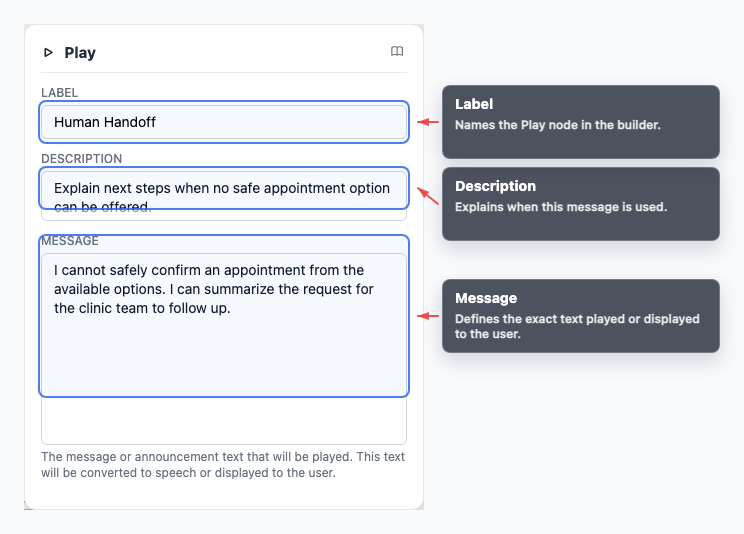
Section titled “What to configure”- Message contains the text that should be played to the caller.
- Label describes the role of the message on the canvas.
Keep the message short and operationally clear, especially when it is only meant to bridge between other steps.
Common workflow patterns
Section titled “Common workflow patterns”- Greeting Play a fixed welcome before an AI Agent begins the conversation.
- Hold or transition message Play a short notice before Tool or Transfer.
- Completion Play a final acknowledgement before End.
Example message patterns
Section titled “Example message patterns”- A greeting can frame the supported paths before the first reasoning step begins.
- A fixed unsupported or fallback message can keep the branch clear when the workflow should stop or redirect cleanly.
Visual reference
Section titled “Visual reference”Canvas
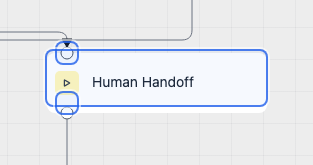
Section titled “Canvas”The canvas view shows where a fixed spoken message fits in the voice flow.
Inspector
Section titled “Inspector”The inspector is where you define exactly what the caller should hear.
What to watch out for
Section titled “What to watch out for”- Play is intended for voice workflows.
- Use workflow-level voice settings to control how the message sounds.
- Keep transition messages brief so they do not slow the conversation unnecessarily.
- Use AI Agent instead when the response should depend on the caller’s context.
Can I use Play outside voice channels? Play is intended for voice workflows. For chat or web channels, use AI Agent responses instead.
Where are voice settings configured? Use Workflow configuration for language, voice, and phone settings.
Related pages
Section titled “Related pages”- Phone Numbers - manage inbound voice numbers
- Entry Points - route phone calls to workflows
- Transfer node - hand off voice conversations